Setting Up Your Room for 4K Streaming and Great Sound
Published How we research
Turning a spare room or corner of the living room into a proper 4K viewing space is less about buying one expensive piece of gear and more about getting a handful of smaller decisions right. Display, room light, wiring, sound, and calibration all affect each other, and skipping one usually shows up later as a soft picture, muddy dialogue, or a subwoofer that rattles the wrong wall. None of this requires a professional installer or a huge budget. It mostly comes down to working through the setup in a sensible order instead of buying pieces at random and hoping they fit together. This guide walks through that order, from picking a screen to dialing in the sound, so you end up with a room that actually shows off what 4K streaming looks and sounds like, whether you are starting from an empty corner or upgrading a setup that never quite felt finished.
Products from this article
The highest-scoring picks from the buying guides this article links to. Scores are our editorial assessment, not customer ratings.
As an Amazon Associate we earn from qualifying purchases. This does not change our picks. Affiliate disclosure
+ 512 dimming zones and up to 1,400 nits of peak brightness for strong contrast with HDR content
From our guide: Best 4K TVs
+ 7.2 Channel layout supports a full Atmos speaker setup
From our guide: Best AV Receivers
+ Dual 10 inch wireless subs deliver room-shaking home theater bass
From our guide: Best Soundbars
+ Mini-LED backlight with local dimming, listed at up to 2,100+ zones for the QM7L series
From our guide: Best 4K TVs
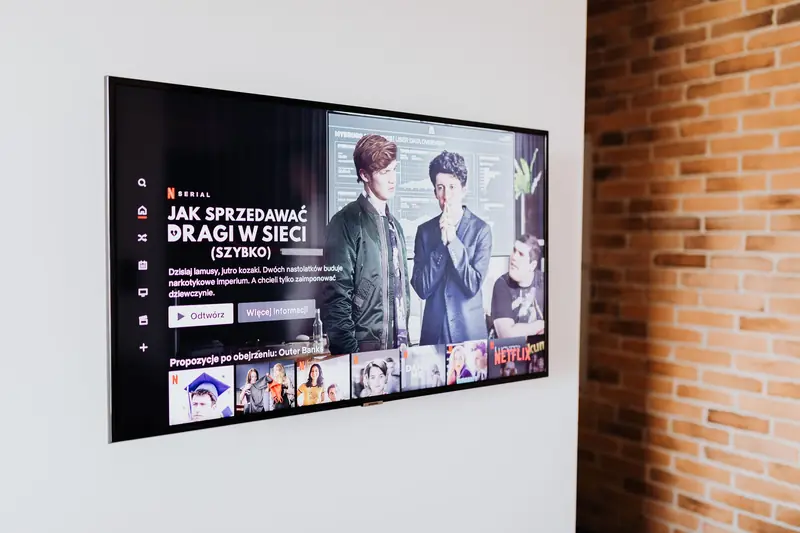
Start with the display: TV or projector
Your first real decision is whether the room calls for a large 4K TV or a projector and screen. A TV is simpler to set up, holds up fine in a bright room, and works well if the space doubles as a living room during the day. A projector needs more control over ambient light but delivers a much bigger image for roughly the same budget, which matters if movie night is the main use for the room.
Either path gives you a real 4K image, so pick based on the room itself: how much natural light it gets, how far back people will sit, whether the screen needs to disappear when it is off, and how much wall or ceiling space you actually have to work with.
It also helps to think about how the room gets used outside of movie night. A TV-based setup tends to fit better in a shared living space, while a dedicated projector room usually works best when the space is not doing double duty as an office or playroom.
Control the light in the room
Picture quality depends on the room as much as the display. For a projector especially, ambient light washes out contrast and makes even a sharp 4K image look flat and gray. Blackout curtains or blinds on any windows are usually the single biggest upgrade you can make before touching the electronics.
For TVs, a fully dark room is not required, but controlling glare and reflections off the screen still helps colors and black levels look right, so it is worth thinking about lamp placement and curtains even in a TV-based setup.
Cheap fixes go a long way here. Moving a lamp out of the sightline to the screen, adding a darker rug to cut down on reflected light, or simply closing a door can noticeably improve contrast without spending anything on new gear.
Wire everything for full 4K bandwidth
A 4K signal, especially with HDR or a high frame rate, needs a cable that can actually carry it. Older HDMI cables pulled from a drawer sometimes cause dropouts, flickering, or the TV quietly falling back to a lower resolution without any obvious warning on screen.
Run a proper high-speed HDMI cable from your source to the display or receiver, and keep runs behind walls or under rugs as short and tidy as the room allows so you are not troubleshooting a cable issue later.
Label each cable where it meets the receiver or TV, especially if you have more than one source connected. It sounds minor, but it saves real time the next time you add a device or need to trace a fault.
Build sound that matches the picture
A sharp 4K picture with thin TV speakers underneath it feels unfinished. A soundbar is the easiest upgrade and a big step up from built-in TV audio, while an AV receiver with separate speakers gives you more control over channels and volume as the room grows.
If you go the receiver route, spend a little time on speaker placement. Front, center, and surround positions all affect how dialogue and effects land, and a few feet of adjustment can noticeably change how balanced the room sounds.
Do not overlook the center channel. It carries most of a movie's dialogue, so getting it aimed at the seating area matters more than almost any other speaker in the room.
Calibrate the picture and the sound
Most TVs and projectors ship with settings tuned for a bright showroom, not a home. Switching to a cinema or filmmaker picture mode, then adjusting brightness and contrast for your actual room lighting, makes a real difference in how natural 4K content looks.
On the audio side, running your receiver's built-in room calibration, or manually checking speaker levels with a familiar track, helps catch an unbalanced channel or a subwoofer that is set too loud for the room.
Give calibration a real pass rather than a quick glance. Sit in the main seat, use a mix of a bright scene, a dark scene, and a dialogue-heavy scene to judge the picture, and adjust from there instead of trusting the factory defaults.
Pick a streaming source and settle in
With the display, sound, and lighting sorted, the last piece is the streaming source itself. A dedicated streaming device or your TV's built-in apps both work, but a device built for 4K playback tends to handle HDR switching more smoothly between different shows and movies.
Once it is connected, open Prime Video and choose a title marked 4K or HDR to see the full setup working together rather than judging the room on standard-definition content.
It is worth testing a couple of different titles here, since not every show is mastered the same way. A newer 4K release will show off the room far better than an older catalog title upscaled to fit the screen.
Set the mood before the movie starts
A few small touches make the room feel finished. Bias lighting behind the screen reduces eye strain in a dark room and adds a bit of ambience without washing out contrast the way a regular lamp would.
While people are settling into their seats before the movie starts, playing a low-key playlist through Amazon Music over your new speakers is an easy way to fill the room with sound before the main feature begins.
None of these last touches are required to enjoy the room, but together they are usually what turns a functional setup into the kind of space people actually want to sit in for a couple of hours.
Popular right now
- Best 4K Blu-ray PlayersBuying guide
- Best Soundbar Wall MountsBuying guide
- Best 4K ProjectorsBuying guide
- Best Dolby Atmos SpeakersBuying guide
- How to Stop a Subwoofer From Humming or BuzzingArticle
- Best In-Ceiling SpeakersBuying guide
Based on the last 28 days of search and visitor data.