4K HDMI Splitter 1 in 2 Out Mirror Display Not Expand, Dual HDMI Splitter Hub to Dual Monitors, Audio Synchronization, for MacBook Laptop Desktop PC Graphics Card TV Review (2026)
Updated September 14, 2026 · Research-based review
Our verdict
A budget way to send one 4K source to two screens at once with matched audio. Good for signage, a TV plus projector pairing, or duplicating a laptop screen, but it mirrors only, so it will not extend a Windows or Mac desktop across two monitors.
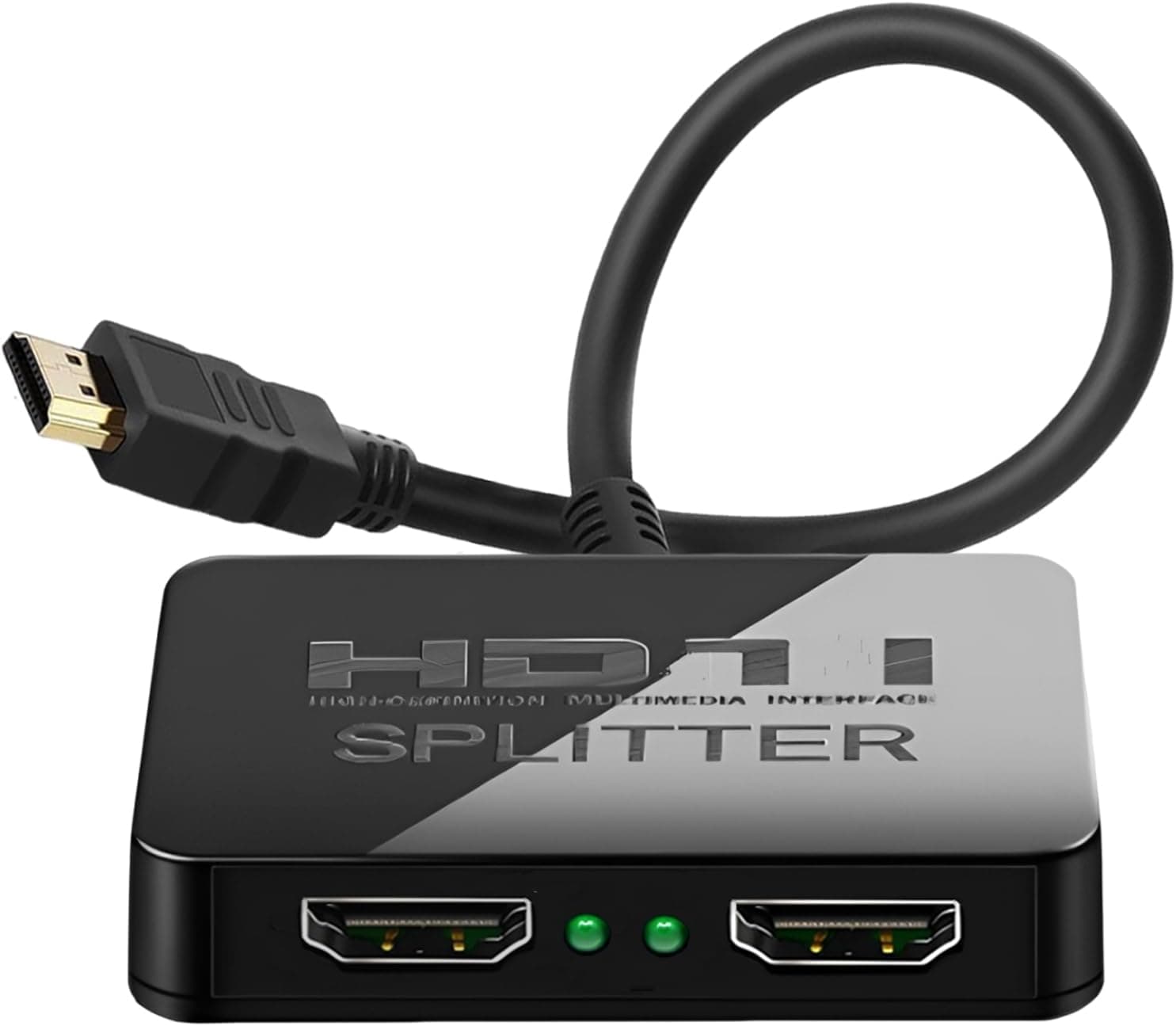
A 4K HDMI splitter 1 in 2 Out that mirrors one source to dual displays with audio synchronization, not an extended desktop.
Price range: See on Amazon
What we liked
- + Mirrors a source to a TV and projector at the same time
- + Audio synchronization keeps sound matched on both outputs
- + Works with laptops, desktops and graphics cards
Trade-offs
- - Mirror only, so it cannot extend a PC desktop across screens
- - Mixed resolution displays may drop to the lower common format
What this splitter is built to do
This is a 1 in 2 out HDMI splitter, not a switch and not a true dual-monitor extender. One source, such as a laptop, desktop, media player or graphics card output, feeds in through a single HDMI port and the same picture is duplicated out to two displays at once. The listing is explicit that the unit mirrors a source rather than expanding it, so a Windows or macOS desktop cannot be stretched across the two connected screens the way a dual-output graphics card would allow. That makes it a fit for anyone who wants the identical image on a TV and a projector, on two digital signage displays, or on a monitor and a recording capture device at the same time, rather than someone trying to build a wider desktop workspace.
Resolution support and audio handling
The splitter is rated for 4K input and output and is built with audio synchronization, meaning the sound on each connected display stays lined up with the picture without a separate audio cable or delay box. Because it is a passive mirror splitter rather than a scaler, both connected displays effectively receive the same video timing, which is why the product is described as compatible with MacBook and Windows laptops, desktop towers and dedicated graphics cards feeding a TV. There is no mention of an HDMI switch function, so it cannot select between two different sources, only duplicate one source to two outputs. Buyers connecting a mix of 4K and older 1080p displays should expect the combined output to follow the lower common resolution of the two screens rather than each display running its own native resolution.
Setting it up
Setup is plug and play in the sense that no drivers need to be installed on the source device. You connect the single HDMI input to your laptop, desktop or graphics card output, then run two separate HDMI cables from the splitter to each display. Because the unit mirrors rather than extends, there is no on-screen menu to configure separate resolutions, arrange virtual monitors or set one screen as primary, which keeps day to day use simple for anyone who just wants the same content on two screens without touching display settings each time. For a permanent installation behind a TV stand or AV rack, keep the unit somewhere with airflow and away from other HDMI cable runs to avoid signal interference on longer cable lengths.
How it stacks up against other 1 in 2 out splitters
Within the same guide, the CLOSS HDMI Splitter and the MT-VIKI HDMI Splitter both score higher, and the MT-VIKI unit specifically ships with its own power adapter, which can make a difference on longer cable runs or with displays that draw more current through the HDMI port. This model leans on being compatible with a wide range of sources, from MacBook laptops to desktop graphics cards, and keeps the price low for anyone who only needs basic screen duplication. If your use case is closer to dual-monitor productivity work rather than mirroring, none of the splitters in this category are the right tool since all of them duplicate rather than extend the desktop.
Who should buy it and who should not
Pick this splitter if you want one 4K source to show identically on two displays, such as a TV and a projector, or two monitors in a small business or classroom running the same content, and you do not need per-screen resolution control. Skip it if you are trying to extend a computer desktop across two monitors for multitasking, since that requires a proper dual-output graphics card or a dedicated USB display adapter instead of an HDMI splitter. Anyone mixing a 4K TV with an older 1080p display should also plan on the shared signal defaulting to the lower resolution so both screens display correctly at the same time.
Frequently asked questions
Can this HDMI splitter extend my desktop across two monitors?
No. It is a mirror only splitter, so both connected displays show the identical picture. Extending a desktop across two screens needs a graphics card with dual outputs or a USB display adapter instead.
Does it support 4K on both outputs at the same time?
It is rated for 4K input and output for mirrored content, but if you connect one 4K display and one older 1080p display, expect the combined signal to drop to the lower resolution both screens share.
Do I need to install drivers or software to use it?
No drivers are needed. You plug the source into the single HDMI input and run separate cables to each display, and the picture and synchronized audio appear on both automatically.
Will the audio stay in sync on both connected displays?
Yes, the unit includes audio synchronization so sound matches the picture on each output without a separate audio cable or external sync box.
Prices change often, so check the current price and availability on Amazon.
Check price on AmazonHome Theater Setup Hub may earn a commission from the link above.