MT-VIKI HDMI Splitter 1 in 2 Out, 4K HDMI Splitter for Dual Displays, Powered HDMI Duplicator with Power Adapter, Supports 4K@30Hz 1080P 3D Review (2026)
Updated September 14, 2026 · Research-based review
Our verdict
This MT-VIKI splitter fits anyone who needs the exact same picture on two screens at once, such as a bar mirroring a single cable box or a projector paired with a monitor. The powered design keeps signal solid over longer runs, but the 4K@30Hz ceiling rules it out for gaming or any high frame rate source.
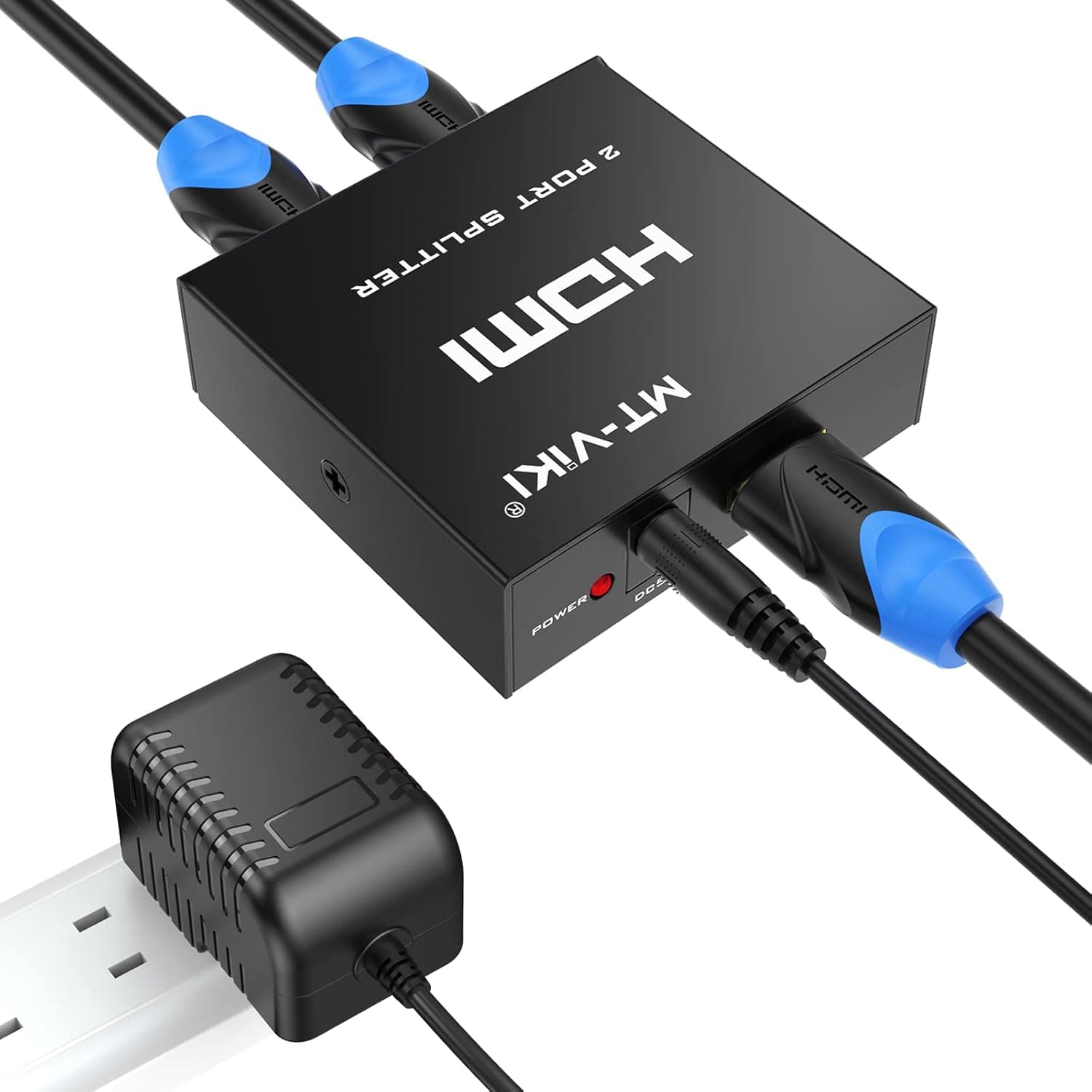
MT-VIKI's powered 1 in 2 Out 4K HDMI splitter duplicator with power adapter, supporting 4K@30Hz, 1080P and 3D.
Price range: See on Amazon
What we liked
- + Powered design keeps signal stable on longer HDMI runs
- + Power adapter included so no USB port is needed
- + Duplicates to two displays for bars, rooms or projectors
Trade-offs
- - 4K@30Hz limit is not suited to gaming or high frame rates
- - Extra power brick adds clutter behind the TV
Who this splitter is built for
This is a 1 in, 2 out HDMI splitter, meaning it duplicates a single source onto two displays rather than extending different content to each one, which is a common point of confusion with HDMI splitters in general. That makes it a fit for a bar or waiting room showing the same broadcast on two TVs, a home theater where a projector and a secondary monitor both need the identical picture, or a presentation setup mirroring a laptop to two screens. It is not the right tool for anyone who wants two different windows or apps on two separate displays, since true dual-output setups need a graphics card with two outputs or a different class of device entirely rather than a splitter.
How the hardware works
The splitter takes one HDMI input and mirrors it to two HDMI outputs, supporting up to 4K at 30Hz along with 1080p and 3D content, and it is backward compatible with HDMI 1.4, 1.3, and 1.2 sources under HDCP 1.4 copy protection. Because it is a powered unit, it ships with its own 5V power adapter rather than drawing power from a USB port on a nearby device, which helps keep the signal stable across longer cable runs to each display. MT-VIKI rates the setup for meaningful transmission distances between the splitter and each connected screen, and the unit's metal shell is built to dissipate heat during extended use rather than relying on a plastic housing alone.
Setting it up and living with it
Installation is plug and play: connect the source to the single input, run HDMI cables from each output to its display, and plug in the included power adapter before powering everything on. Because the unit only mirrors rather than extends, both connected displays will always show identical content, so there is no configuration menu or software to manage beyond basic HDMI handshaking between devices. The tradeoff of a powered splitter is the extra cable and wall outlet it needs behind the TV or equipment rack, which adds a bit of clutter compared to a passive splitter that draws power from the source, though the added stability is usually worth that inconvenience for anyone running longer cable distances.
Where the 4K@30Hz limit matters
The most important spec to understand before buying is the 4K@30Hz ceiling, which is fine for movies, streaming apps, and general TV content but falls short for console or PC gaming, where 4K@60Hz or higher is standard on modern hardware. Rival splitters in the same category, such as other MT-VIKI models and competing 1 in 2 out splitters from other brands, largely share this same 30Hz limitation at 4K, so this is a category-wide constraint rather than something unique to this unit. Anyone connecting a current game console or a PC graphics card that needs full 4K motion smoothness should look for a splitter or switch explicitly rated for 4K@60Hz instead of assuming 4K support alone covers gaming needs.
Verdict and who should look elsewhere
For duplicating a single non-gaming source like a cable box, streaming device, or laptop onto two screens, this splitter does the job reliably, which fits with our score of 7.2 out of 10 and its strong value rating for a straightforward accessory. The powered design and metal housing are sensible choices for anyone running cable to a second TV across a room or into an adjoining bar area. Gamers and anyone connecting a current console or graphics card should skip this model and look for a 4K@60Hz rated splitter instead, since the frame rate ceiling here will visibly limit smoothness. For everyone else needing simple screen mirroring, this is a dependable, low-fuss choice.
Frequently asked questions
Does this splitter show different content on each screen?
No, it mirrors the same source to both outputs at once. It cannot extend or show separate content on the two connected displays.
Can this splitter handle 4K gaming at 60Hz?
No, it is rated for 4K at 30Hz, which suits movies and streaming but is not suited to current game consoles or PCs that need 60Hz or higher at 4K.
Does the splitter need its own power source?
Yes, it is a powered splitter and ships with a power adapter, which helps keep the signal stable, especially over longer cable runs to each display.
Is this splitter backward compatible with older HDMI sources?
Yes, it works with HDMI 1.4, 1.3, and 1.2 sources under HDCP 1.4, so it can be used with older devices as well as newer ones.
Prices change often, so check the current price and availability on Amazon.
Check price on AmazonHome Theater Setup Hub may earn a commission from the link above.