Roku Streaming Stick 4K with Voice Remote, HDR10+ and Dolby Vision, Compact 4K Streaming Device with Long-Range Wi-Fi Review (2026)
Updated September 21, 2026 · Research-based review
Our verdict
This Roku stick suits anyone who wants a compact, affordable way to add 4K HDR streaming to an existing TV without a whole new set or a bulkier box. Dolby Vision, HDR10+, and long-range Wi-Fi cover the formats most services use, though the stick skips wired Ethernet and the extras on the pricier Roku Ultra.
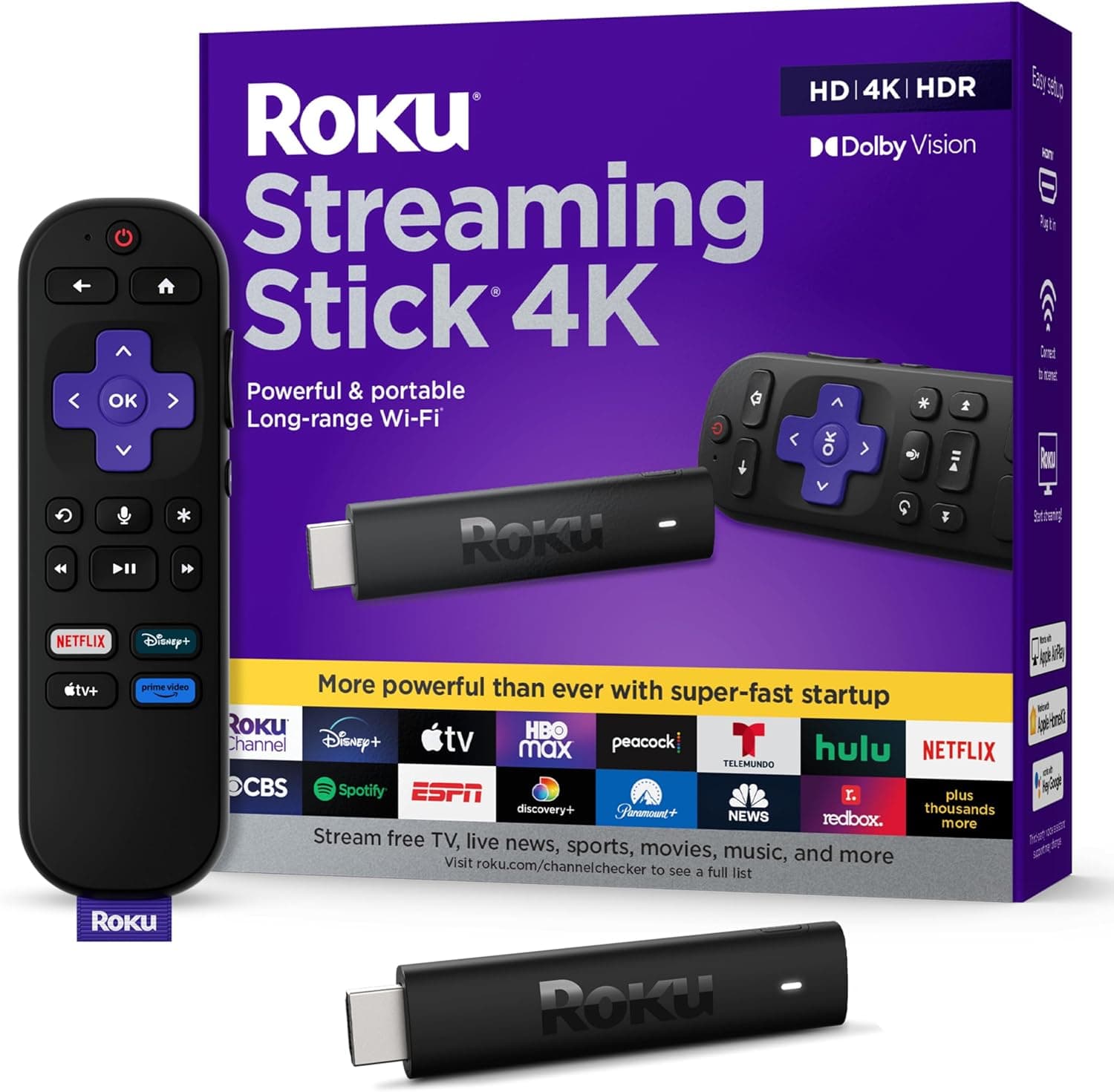
Roku's Streaming Stick 4K with voice remote, HDR10+ and Dolby Vision, a compact player with long-range Wi-Fi.
Price range: See on Amazon
What we liked
- + Dolby Vision and HDR10+ cover the main streaming HDR formats
- + Long-range Wi-Fi helps when the TV is far from the router
- + Simple Roku interface is neutral across streaming services
Trade-offs
- - No Dolby Atmos pass-through listed, unlike the Roku Ultra
- - Stick form cannot use wired Ethernet for the most stable stream
HDR format coverage
The Streaming Stick 4K supports both Dolby Vision and HDR10+, the two dynamic HDR formats used across most major streaming services, which is a meaningful upgrade over the prior generation Roku stick that was limited to standard HDR10. Having both formats covered matters because different services lean on different standards: Netflix and Disney Plus favor Dolby Vision for much of their catalog, while Amazon Prime Video and some other services use HDR10+ instead. Rather than needing to know which format a given show or movie uses, owners get consistent HDR playback across services as long as their TV also supports the relevant format. This puts the Stick 4K's HDR coverage on par with pricier streaming devices despite its small size and low price.
Wi-Fi range and streaming reliability
Roku built long-range Wi-Fi into this model specifically to help in situations where the TV sits far from the router, a common problem for a stick-style streaming device that has no option for a wired Ethernet connection to fall back on. For most living rooms with a router in the home, this is enough to maintain a stable 4K stream, but very large homes or ones with thick walls between the router and TV may still see buffering that a wired connection would avoid. Buyers setting up a dedicated home theater room far from the router, or with unreliable Wi-Fi, should weigh whether a box-style streaming player with an Ethernet port would serve them better than a stick, even at a higher price.
Design and everyday usability
The stick's compact design plugs directly into an HDMI port without taking up the space of neighboring inputs, and it is small enough to tuck behind a TV out of sight, unlike bulkier streaming boxes. The included voice remote adds TV power and volume controls along with Roku's standard voice search and app shortcuts, so a single remote can usually replace the TV's own remote for daily use. Setup follows Roku's simple, ad-supported home screen, which stays consistent regardless of streaming service, a deliberate design choice that keeps the interface neutral rather than pushing one platform's content over another. This simplicity is one of Roku's consistent strengths against competing platforms that surface more aggressive content recommendations.
Where it sits in Roku's lineup
The Streaming Stick 4K occupies the middle of Roku's player lineup, above the entry-level Express models that lack 4K support and below the Roku Ultra, which adds features like Ethernet, a headphone jack on the remote, and Dolby Atmos audio pass-through for a home theater with a capable receiver. For someone whose main need is solid 4K HDR streaming on a single TV without those extras, the Stick 4K covers the core need at a lower price than the Ultra. Anyone building a more serious home theater setup around a receiver that supports object-based audio formats may find the Ultra's added audio pass-through and wired networking worth the extra cost instead.
Value for a streaming upgrade
As a way to add current-generation streaming capability to an older 4K TV, or to replace a sluggish built-in smart TV interface, the Stick 4K is a low-cost, low-commitment upgrade that covers the HDR formats most people need today. It is not the most feature-rich device Roku sells, and it lacks the wired networking and premium audio pass-through of the Ultra, but for a secondary TV or a straightforward main-room setup it delivers the core streaming experience without excess cost or bulk. Shoppers already invested in Roku's ecosystem across other TVs or devices will also find the interface and remote behavior consistent with what they already know.
Frequently asked questions
Does the Roku Streaming Stick 4K support Dolby Vision?
Yes, it supports both Dolby Vision and HDR10+, covering the two main dynamic HDR formats used by major streaming services.
Does it have an Ethernet port?
No, as a stick-style device it relies on Wi-Fi only. Roku includes long-range Wi-Fi to help with signal strength, but there is no wired option.
How is it different from the Roku Ultra?
The Ultra adds Ethernet, a headphone jack on the remote, and Dolby Atmos audio pass-through, features this Stick 4K does not include.
Does the remote control the TV as well as Roku?
Yes, the included voice remote has TV power and volume controls in addition to Roku's voice search and app shortcuts.
Prices change often, so check the current price and availability on Amazon.
Check price on AmazonHome Theater Setup Hub may earn a commission from the link above.