Roku Ultra, Ultimate Streaming Player, 4K Streaming Device, HDR10+ Dolby Vision and Atmos, Bluetooth and Wi-Fi 6, Rechargeable Voice Remote Pro Review (2026)
Updated September 14, 2026 · Research-based review
Our verdict
The Roku Ultra suits a 4K home theater that leans on Wi-Fi 6 or Ethernet for stable playback and wants Dolby Atmos passthrough to a soundbar or receiver. It costs more than a Roku stick with similar picture formats, but the rechargeable remote and faster processor make daily use noticeably smoother.
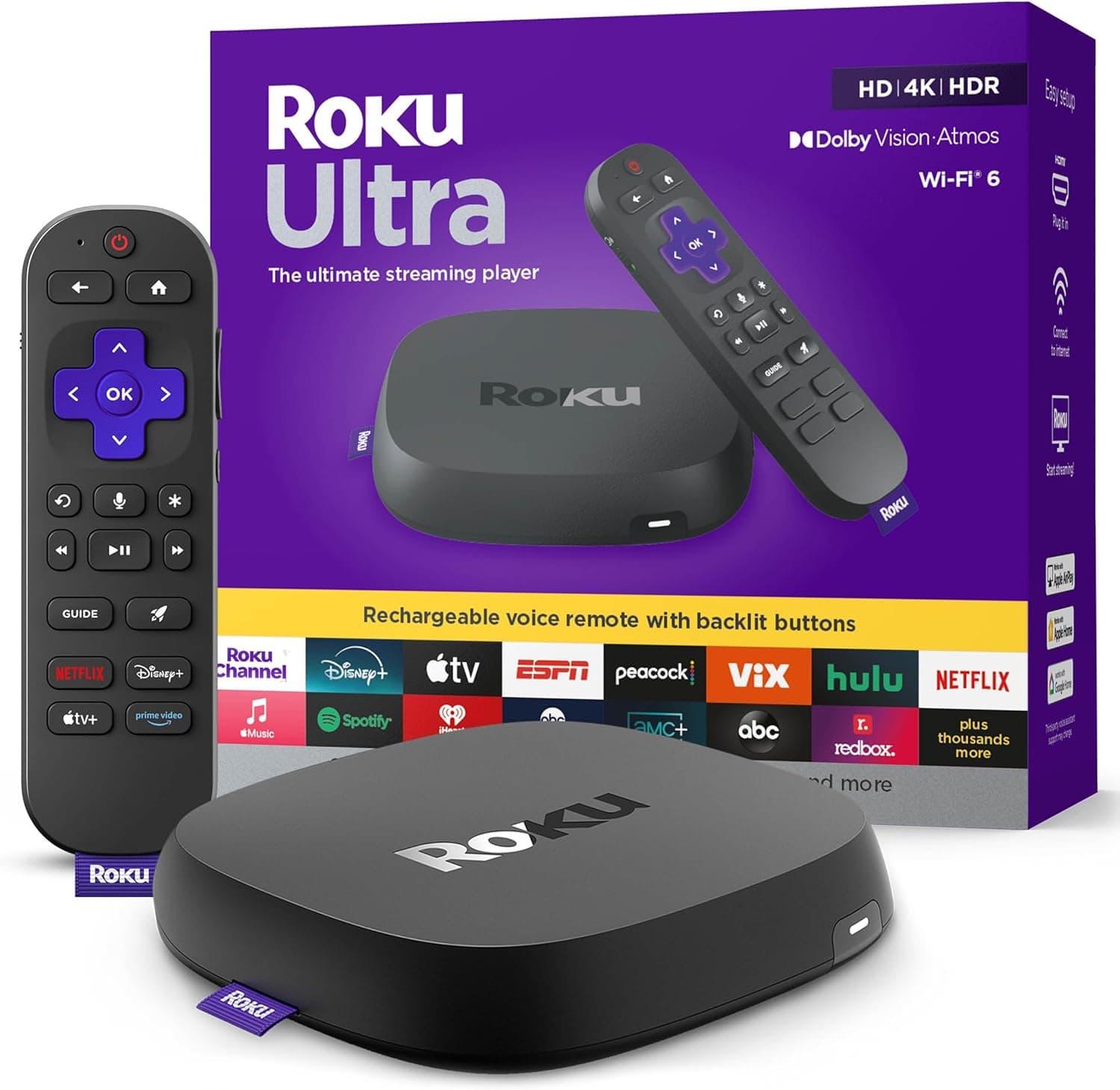
Roku Ultra, a 4K streaming player with HDR10+, Dolby Vision and Atmos, Bluetooth, Wi-Fi 6 and a rechargeable Voice Remote Pro.
Price range: See on Amazon
What we liked
- + Wi-Fi 6 and Ethernet option keep high bitrate 4K streams steady
- + Rechargeable Voice Remote Pro ends battery swaps
- + Dolby Atmos support suits soundbar and receiver setups
Trade-offs
- - Costs more than Roku sticks with similar picture formats
- - Set-top box needs shelf space rather than hiding behind the TV
Who the Ultra is built for
The Roku Ultra targets anyone setting up a dedicated home theater rather than a casual bedroom TV, since it is Roku's top streaming box rather than a stick. It suits households that stream a lot of 4K HDR content and want the format support and network headroom to back that up, plus anyone connecting through an AV receiver or soundbar that benefits from Dolby Atmos passthrough. Because it sits as a small box rather than plugging directly into an HDMI port, it needs a shelf, console, or mounting spot near the TV, which matters in a tight media cabinet. Buyers who mainly watch standard HD content or do not have a 4K display get less benefit from paying the premium over Roku's cheaper streaming sticks.
4K, HDR and networking explained
This Ultra supports 4K playback with HDR10+, Dolby Vision and Dolby Atmos, covering the major high dynamic range and object-based audio formats used by current streaming services. On the networking side it uses 802.11ax dual-band Wi-Fi 6, which handles higher bitrate 4K streams more reliably in busy household networks than older Wi-Fi standards, and it also offers a wired Ethernet option for the most consistent connection. Roku describes this generation as meaningfully faster than earlier Ultra models, which shows up as quicker app loading and smoother menu navigation rather than a spec most shoppers would notice on a box alone. As an HDMI 2.1 device it also supports Quick Media Switching, which reduces the blank-screen delay when content or refresh rate changes.
Setup, the remote and daily use
Setup follows Roku's usual pattern: connect HDMI and power, join the home Wi-Fi network or plug in Ethernet, then sign into a Roku account to install streaming apps. The bundled Voice Remote Pro is rechargeable over USB-C rather than running on disposable batteries, has backlit buttons for use in a dark home theater room, and includes a remote finder feature for locating it when it slips between couch cushions. Hands-free voice control lets owners search for content or launch apps without picking up the remote at all. Day to day, most owners interact with the Ultra through its home screen and channel store rather than any physical buttons on the box itself, so the remote is effectively the main interface.
How it stacks up against other streamers
Against the Roku Streaming Stick 4K, the Ultra costs more for a device that does the same core job of streaming 4K HDR content, but adds Wi-Fi 6, Ethernet, a rechargeable remote and a slightly quicker processor in exchange. The NVIDIA Shield Android TV is the closer rival for households that also want Android TV apps and stronger local media playback, though it costs more and is a heavier box. Amazon's Fire TV Stick 4K Plus is the budget alternative for anyone who prioritizes Alexa integration over Roku's own interface and does not need Wi-Fi 6 networking.
Verdict and who should pick something else
The Ultra earns its higher price with steadier 4K streaming over Wi-Fi 6 or Ethernet, full HDR and Atmos support, and a remote that does not need battery swaps, which adds up for a home theater that gets daily use. Anyone on a tighter budget, or streaming mostly to a secondary TV, is better served by the cheaper Roku Streaming Stick 4K, which covers the same picture formats without the network and remote upgrades. Households already committed to Amazon's or Google's ecosystem may also prefer a Fire TV or Google TV device for tighter voice assistant integration.
Frequently asked questions
Does the Roku Ultra support Dolby Atmos?
Yes, it supports Dolby Atmos passthrough alongside HDR10+ and Dolby Vision, which suits setups running a soundbar or AV receiver.
Is the Roku Ultra remote rechargeable?
Yes, the included Voice Remote Pro charges over USB-C instead of using disposable batteries, and it has backlit buttons plus a remote finder.
Can the Roku Ultra connect over Ethernet instead of Wi-Fi?
Yes, it has a wired Ethernet option in addition to dual-band Wi-Fi 6, useful for the most stable 4K streaming connection.
How is the Roku Ultra different from the Roku Streaming Stick 4K?
The Ultra adds Wi-Fi 6, an Ethernet port, a rechargeable remote and a faster processor, while the Streaming Stick 4K covers the same 4K HDR formats for less money.
Prices change often, so check the current price and availability on Amazon.
Check price on AmazonHome Theater Setup Hub may earn a commission from the link above.